


Haystack News: Local TV News
4.23.28K Reviews
App Specs
- Version
- Varies with Device
- Updated On
- License
- Free
- Downloads
- 5,000,000+
- Developer
- Haystack News
- Categories
- News & Magazines
- Platform
- Android
Screenshots

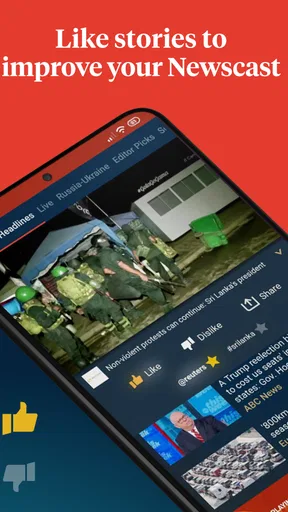
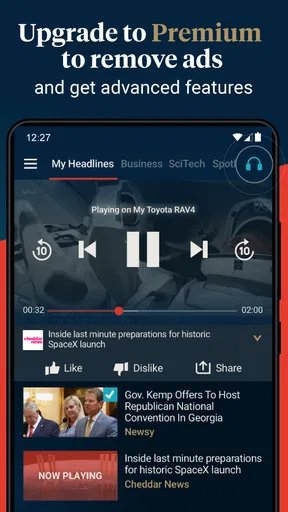
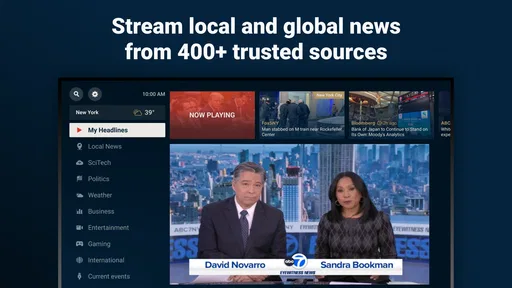
 Analysis by AppCompare
I like the idea behind Haystack News: Local TV News: bring together many TV news sources so I can sample useful coverage without committing to a full broadcast or bouncing between a long list of channel apps. It works best as a flexible way to catch up, not as a replacement for every source I trust. The main appeal is choice; the main trade-off is that a broad selection still asks me to decide what deserves my attention.
Where the format earns its place
Haystack News is a free news and magazines app from Haystack News, with a 4.3 average from around 20,000 ratings and more than 5 million installs. Its wide channel selection makes it more useful than a single broadcaster’s app when I want to compare coverage or move from a local story to a wider one. In-app purchases are listed at $4.99 per item, so I would check the purchase details in the app before choosing anything beyond the free experience.
A practical way to use a multi-source video app is to treat it as a starting point rather than a final authority. If a headline matters, I can watch how different outlets frame it, then seek out fuller reporting before drawing a conclusion. That habit is especially valuable with developing stories: short segments make it easy to catch the main point, but they may leave out context, uncertainty, or the details that change how a story should be understood.
A routine that suits short windows
Imagine I have a few minutes before leaving home. I can open the app, scan for something relevant to my area, and then switch to broader coverage if there is time. Later, rather than starting a long newscast from the beginning, I can use the same quick-check approach to see whether a story has developed. This kind of small, repeatable session is where a collection of news channels can fit naturally into a busy day.
That convenience comes with a useful discipline: choose a reason for opening the app. I might want a local update, a quick look at national headlines, or another perspective on a subject I already follow. Without that intention, a large menu of sources can turn a short break into aimless channel-hopping. I find it more satisfying to pick a topic, watch a few relevant pieces, and stop when I have answered the question I came with.
How to get more from a broad selection
When setting up a feed, I would start with a few interests rather than trying to represent every possible concern at once. A smaller set makes it easier to notice what is genuinely useful and to adjust later. I would also keep a distinction between subjects I want to follow regularly and one-off curiosities; otherwise, a temporary interest can shape what I see long after it has stopped mattering to me.
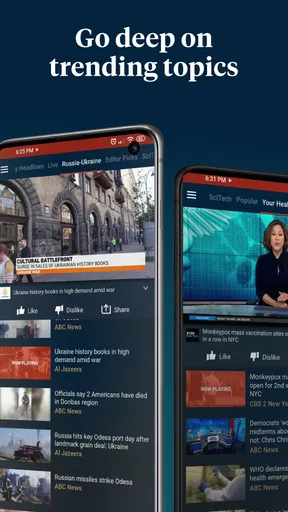
For a developing event, comparing more than one outlet can reveal differences in emphasis, but it does not automatically mean I have seen the whole story. A channel may give a quick summary while another spends more time on local consequences. I would use those differences as prompts for follow-up, not as proof that one brief clip settles the matter. The app’s breadth is most valuable when it helps me ask better questions.
Worth Reading Before You Choose

Flipboard Shows What News Apps Must Do Beyond the Feed

Switching to Android Auto Means Rethinking Your Driving Routine

Google Calendar Makes a Crowded Week Easier to Manage

Ludo King Makes the Most of the Minutes Between Plans

Baby Panda World Brings Quick Play to Modern Phones, but Its Game Library Feels Busy

ESPN’s Live Game View Makes Following Close Games Easier
Who should choose this over a single outlet?
I would recommend it to someone who wants an easy way to sample local and wider reporting without installing a separate app for every station. It also makes sense for viewers who prefer video news and like moving between sources, or for anyone who has spare moments during the day but rarely has time for a full broadcast. The Everyone 10+ content rating is worth keeping in mind when deciding whether it suits a household; parents should still use their own judgment about what younger viewers watch.
If I already rely on one broadcaster for detailed local reporting, that outlet’s own app may be a better daily home. A newspaper app can be preferable when I want written context, searchable articles, or a quiet reading experience. And if I need a thorough account of a complicated issue, a short video segment is not the format I would rely on alone. Haystack is strongest as a discovery and catch-up tool, with deeper reporting coming from sources chosen for the particular story.
A Seamless News Experience
First off, Haystack News is super user-friendly. As soon as you fire it up, you're greeted with an intuitive interface that makes navigation a breeze. I was impressed by how smoothly it runs, even when I was jumping between categories or channels. Seriously, no buffering nightmares here!
Customizable News Feeds
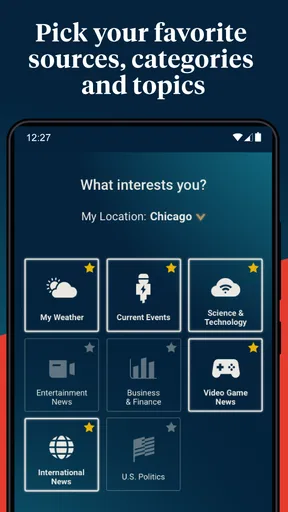
One of the standout features is the ability to tailor your news feed. You can select topics you're passionate about—be it politics, tech, or even entertainment. For someone like me who's all about curating my content, this was a dream come true. It's almost like the app knows what I want before I do!
Local and Global Coverage
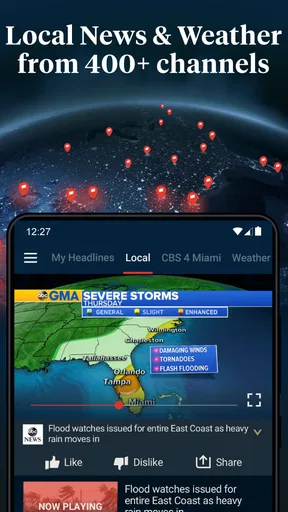
While many apps focus solely on either local or international news, Haystack News does a stellar job of balancing both. I was able to catch up on local happenings in my city while still being updated on international events. This dual approach makes it a one-stop-shop for news junkies.
Breaking News Alerts
Another feature worth mentioning is the real-time breaking news alerts. These notifications keep you in the loop without being overly intrusive. I found them timely and relevant, ensuring I never missed out on important updates.
Video Quality and Content
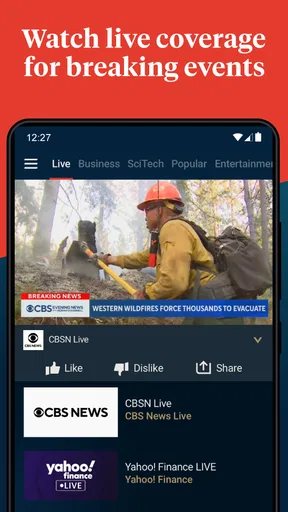
I have to give props for the high-quality video content. Whether you're watching a live stream or a recorded segment, the clarity is impressive. Plus, the app offers a decent range of channel options, so you're not stuck with limited choices.
Small checks before settling in
For a smoother first session, I would give the app enough attention to understand how its topics and channel choices fit together. A feed is only as helpful as the selections behind it, so I would revisit those choices when my interests shift. I would also be selective with notifications: alerts are useful when I genuinely want a prompt, but constant updates can make news feel like an interruption rather than something I choose to check.
Video is a strength when I want to hear a reporter or see a live event, but it is not always the most practical option. In a quiet place, on a limited data connection, or when I need to search for a precise detail, written reporting may be the better format. I would save video sessions for moments when watching adds something—tone, visuals, or a live view—rather than assuming every headline needs to be played.
The app is free to start, which lowers the risk of trying it, while the listed in-app items cost $4.99 each. I would treat that as a reason to review any purchase prompt carefully, not as a reason to assume a paid item is necessary for ordinary news browsing. The app is rated Everyone 10+, and it requires Android 6.0 or later. It was released on February 28, 2014, so it has been around long enough to establish itself as a familiar option, though I would still judge its usefulness by how well its current channel mix matches my own needs.
Where it can fall short
Having many sources available is not the same as having every local perspective represented equally. What feels local depends on where I live and which outlets serve that area, so I would check the channels that actually appear for my location before making the app my main source. If the coverage I care about is thin, a station or local publication with a dedicated focus may be more dependable for that specific beat.
There is also a difference between a convenient stream of segments and a complete news archive. Someone who wants to revisit a particular detail, follow a long investigation from its beginning, or cite exact wording may be better served by an article or the original broadcaster’s reporting. A video-first feed can help me notice what is happening; it is less suited to careful reference unless I pair it with fuller sources.
Likewise, people who prefer a fixed editorial voice may find the range of channels less comfortable than a single news organization. Switching among outlets can expose me to contrasting priorities, but it can also make a session feel uneven. I would not recommend the app to someone who wants one carefully edited daily briefing and no decisions about what to watch. Its strength is giving me options, and that strength carries a little work.
Making it part of a balanced news habit
I get the most value by assigning the app a clear role: quick video catch-up, local discovery, or a second look at a developing story. For a deeper understanding, I would pair a clip with a detailed article or the original source. This avoids treating a fast-moving feed as a complete account and helps separate what is confirmed from what is still unfolding.
It is also worth deciding when I want news to reach me. If I prefer to check headlines on my own schedule, I can keep notifications limited; if I want prompts about major developments, alerts may be more useful. The right balance depends on whether a notification helps me act or simply pulls me away from something else. I would change that choice after using the app for a while rather than accepting every prompt by default.
The Verdict
After spending some time with Haystack News: Local TV News, I can confidently say it's a must-have for anyone looking to stay informed without the hassle. It combines customization, quality content, and real-time alerts in a package that's hard to beat. So, if you're tired of the traditional news cycle and want something that adapts to your interests, give Haystack a try. You won't be disappointed!
My final recommendation
I would try it if I enjoy watching news, want local and broader coverage in one place, and am comfortable choosing among multiple channels. I would skip it as my only source if I need comprehensive written reporting, a consistent editorial perspective, or especially deep local coverage from a particular outlet. For me, the best use is a quick, purposeful check-in followed by more detailed reading when a story deserves it. That makes the app a useful part of a news routine rather than a substitute for judgment.
Pros
- Free access to local and global news.
- Customizable news feed options.
- No account signup required.
- Supports multiple languages.
- Low data consumption.
Cons
- Ads can be intrusive at times.
- Limited offline content access.
- No personalized notifications.
- Interface can feel cluttered.
- Lacks in-depth news analysis.
FAQs for Haystack News: Local TV News
What is Haystack News and what features does it offer?
Haystack News is a personalized news streaming application that aggregates local, national, and international news from a variety of sources. It offers features like customizable news channels, breaking news alerts, and the ability to follow specific topics of interest. Users can watch live news or catch up with video highlights tailored to their preferences.
Does Haystack News require a subscription or any fees to access content?
Haystack News is free to download and use. There are no subscription fees required to access its content. However, it is supported by ads, which means you might encounter commercials during your viewing experience. This allows the app to provide a wide range of news content at no cost to the user.
How does Haystack News personalize my news feed?
Haystack News personalizes your news feed by using an algorithm that learns from your viewing habits and preferences. When you select topics or channels you’re interested in, the app curates a personalized news stream. This means over time, the app becomes better at delivering content that matches your interests.
Is Haystack News available in my country or region?
Haystack News is available in many countries, but the availability of certain features and channels may vary depending on your location. To find out if it’s available in your region, you can check the app store on your device or visit the Haystack News website for more information on regional support.
Can I watch live TV news through Haystack News?
Yes, Haystack News offers live TV news streaming from a variety of channels. You can access live broadcasts from local and national networks, depending on your location. This feature allows you to stay updated with real-time news events, making it a versatile tool for staying informed.


